This project is an MCP( Model Context Protocol ) server designed to interact with Netscaler devices using the NITRO API (REST). It provides a set of tools to manage Netscaler objects such as lbvserver,csvserver, service, and server. The server is implemented using the FastMCP framework and exposes functionalities for creating, updating, listing, deleting, binding Netscaler objects, and also looking into ns logs or stats for different objects. It is incredible how easy it is to operate a Netscaler device with an LLM and an MCP server.
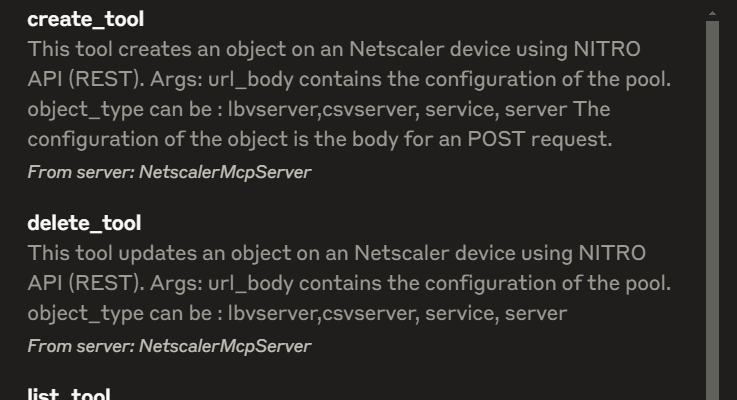
Features
- Tool-Based API: The project defines tools (
list_tool,create_tool,update_tool,bind_tool,delete_tool,stat_tool,nslog_tool) that encapsulate operations on Netscaler devices. - REST API Integration: Uses Python’s
requestslibrary to communicate with Netscaler devices via the NITRO API (REST). - Environment Configuration: Sensitive information like IP addresses and authorization strings are managed through environment variables loaded from a
.envfile. - Extensibility: Modular design allows additional tools or functionalities to be added easily.
- Transport Support: The server runs using the
stdiotransport, making it compatible with various client integrations.
Key Files
NetscalerMCPserver.py: The main server file that initializes the MCP server and defines the tools.Tools/NetscalerObject.py: A utility class for performing CRUD operations on Netscaler objects.
It was tested with the Claude Desktop app. The MCP server was hosted in Windows WSL. It was also tested in Ubuntu and the Claude Desktop app/Cursor. You can also use it in Open WebUI by running it via mcpo. (I’ve used it in a Docker container, check Dockerfile).
mcpo --port 8000 --api-key "api-key-value" -- python3 NetscalerMCPserver.py
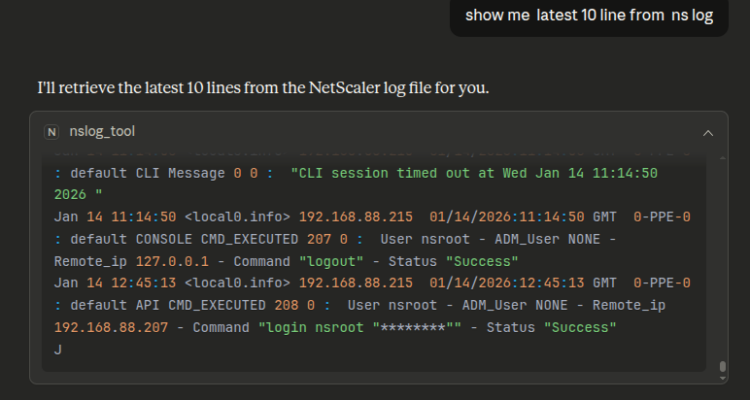
Here is an example of the last log lines:
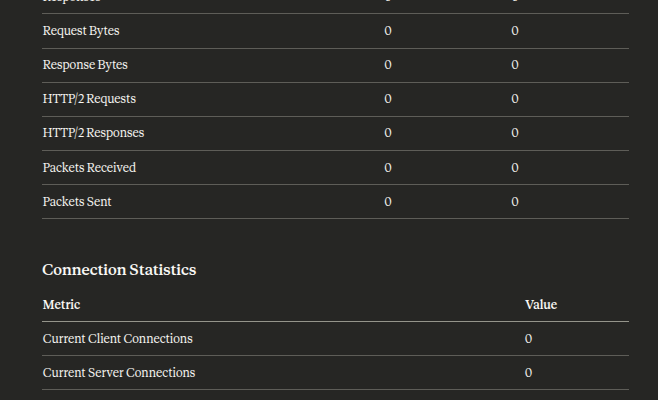
A stats example for an lb vserver :
Code:
You can find this example of a Netscaler MCP server here:
https://github.com/czirakim/Netscaler.MCP.server
